 Farmer Power
Farm structure
- Farm, site, block (irrigation sector), bed, with areas
- QR code label per bed, opening it on a phone
- Multi-company ready
Odoo 19 · Community & Enterprise
Plan the crops, record the work, and see the margin per hour of labor and per m² — computed from the same data as your stock, sales and payroll. No double entry.
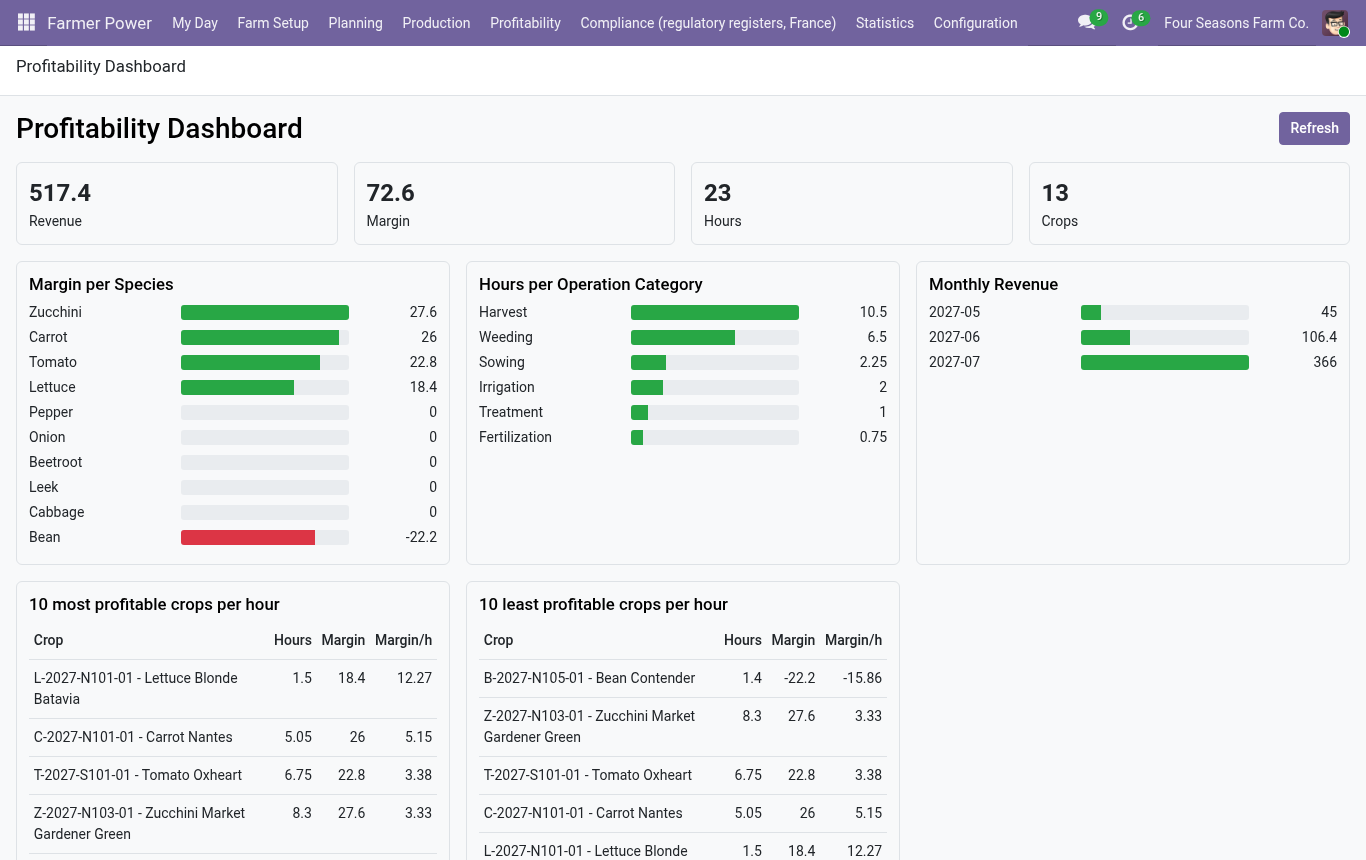
Dedicated farming tools plan the season well, but stay apart from the books. Farmer Power plans the crops natively on top of Inventory, Sales, Accounting and Employees, so the profitability of every crop comes from real sales and real costs.
Describe farm, blocks and beds once.
Pick a template and a harvest date; the plan and seed needs follow.
Operations appear in “My Day”. Time them on the field.
Harvests enter stock with a lot; sales attach to the crop.
Margin per hour and per m², expected vs actual.
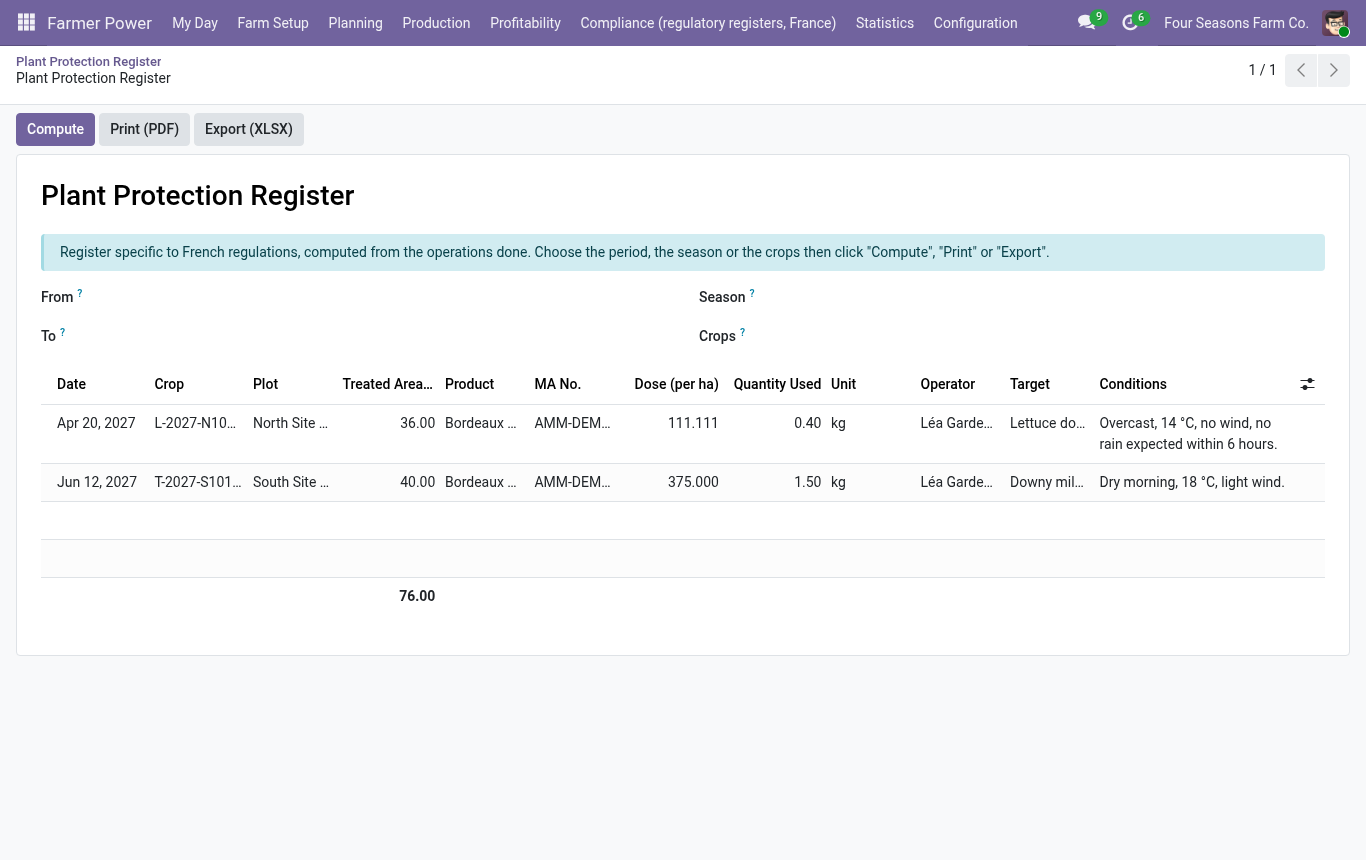
Plant protection register, fertilization register and organic certification export are produced from what you already recorded. A pre-harvest interval check warns before a harvest that breaks the waiting period — a manager can waive it, with a trace.
Specific to France: switch it off in the settings for other markets.
Sees the crop plan, records and times operations, harvests and losses. No access to costs.
Manages catalog, templates, seasons, crops and all operations.
Profitability, configuration and pre-harvest interval waivers.
Installed automatically when the matching Odoo app is present.
farmer_power_purchaseCreates draft requests for quotation for the seeds and plants of a season, one per supplier.
farmer_power_posIncludes market sales rung up in the POS in crop revenue and profitability.
Odoo 19, Community and Enterprise. Depends on Inventory, Sales, Accounting, Employees and Discuss. No external resource is loaded: native Odoo views and OWL, everything works offline.
Source language English. Translations: French, Spanish, German, Dutch, Italian, Brazilian Portuguese (machine translations, to be reviewed by native speakers).
Every request is read and answered; the most useful ones go into the next versions. When you write, mention your Odoo version, the module version and, for a bug, the steps to reproduce it.